

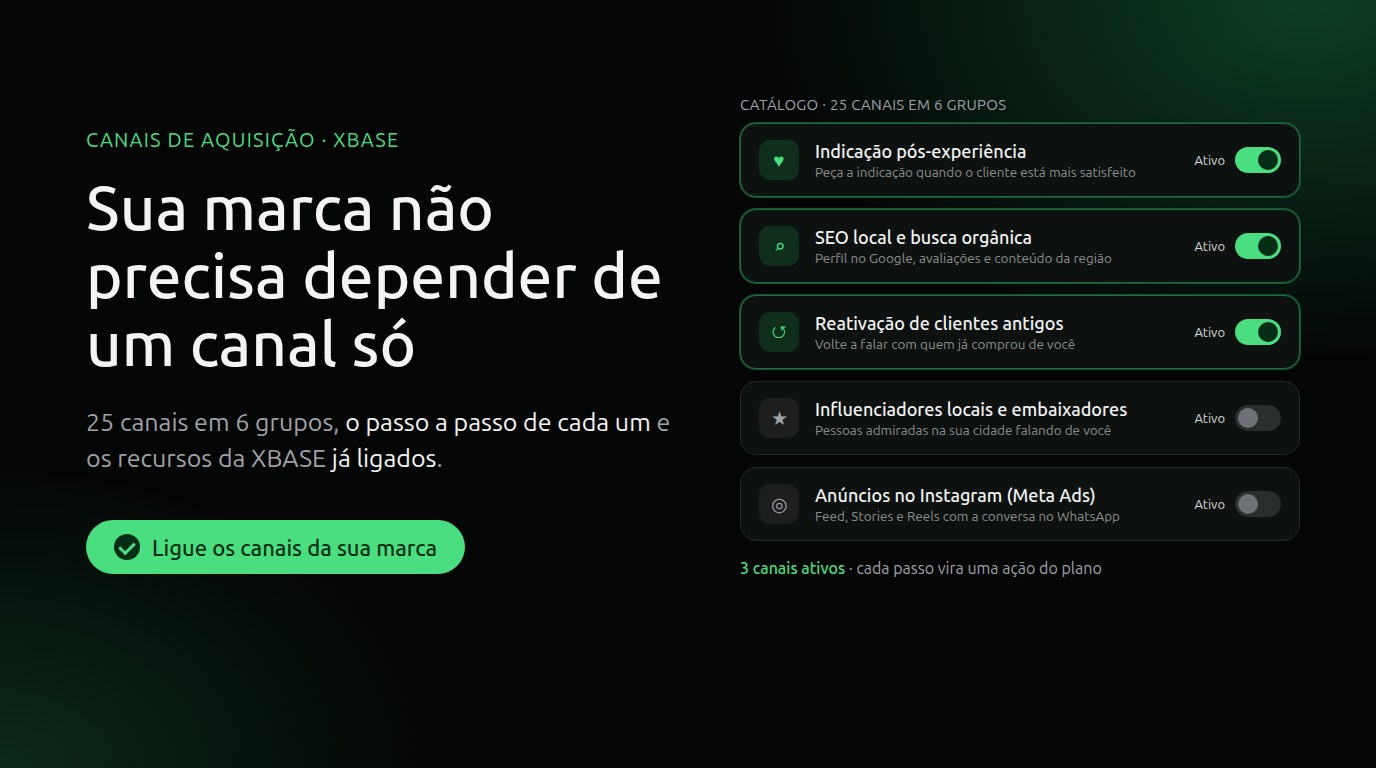
Does your brand depend on a single channel? 25 channels to win customers
Ask a small business owner where their customers come from, and the answer usually fits in one word: referrals, Instagram, word of mouth. It works until the day it doesn't. The algorithm changes, the customer who referred the most moves away, a slow season hits, and revenue drops with it, because there was no other path bringing in new people.
To change that, a brand needs more than one channel, chosen on purpose and worked with a method. That's why the old XBASE Distribution module became Acquisition Channels: a catalog of 25 channels any business can run, with the playbook for each one and the XBASE tools that do each part.
The 25 channels, in 6 groups
| Group | Channels |
|---|---|
| Referrals and partnerships | Post-experience referrals, Referrals between professionals, Affiliates and commission, Reverse referrals, Local influencers and ambassadors |
| Customer base and entry offers | Win back past customers, Free strategy session, Free entry resource |
| Authority and content | Authority in traditional media, Behind-the-scenes proof, Co-created content, Long-form content: podcast and blog |
| Communities and events | Content in private communities, Guest talks, High-level rooms, Recurring in-person community, Institutional communities, Talks inside companies |
| Search and showcases | Specialized marketplaces, Local SEO and organic search |
| Paid ads | Instagram ads (Meta Ads), Google Ads (search), YouTube ads, TikTok ads, LinkedIn ads |
Not every channel fits every brand. A clinic gets a lot out of post-experience referrals and local SEO; a consultancy, out of talks and the free strategy session. Each channel tells you who it works best for, so you choose without guessing.
How it works in XBASE
- You turn on your brand's channels. In Marketing → Acquisition Channels → Channels, each channel has an Active switch. Your brand can have several active at the same time. Start with 2 or 3; growing businesses usually get to 4 or 5.
- Each channel has a playbook. Open the channel to see why it works, who it's for and how to measure it. Channel playbook lists its 3 or 4 strategies, in the order to run them.
- Each step becomes an action in the plan. Click Add to plan and the action shows up in the Action plan, linked to the channel, ready for a due date, owner and checklist.
- XBASE tools come already linked. In post-experience referrals, for example, the automation that asks for the referral after delivery, the WhatsApp template, partners and incentive rules. In local SEO, Google Business Profile, to manage your business profile on Google and reply to reviews. In paid ads, the connections, campaigns and audit from the Ads screen.
- You see what each channel brought. Record opportunities and sales with their main channel, and the comparison shows which channels bring the most customers.
Turning a channel off deletes nothing: actions, partners and results stay there and come back when you turn it on again.
Where to start
- Open Marketing → Acquisition Channels and click Choose channels.
- Read each channel's summary and switch on the 2 or 3 that make the most sense for your brand today.
- Open each active channel, add to the plan the steps you'll do this week and open the linked tools.
The full tutorial is in How to set up your brand's acquisition channels, and the rules (activation, permissions, what happens when you turn a channel off) in the Acquisition Channels documentation.
Keep reading
The power of Prospecting: Google Maps, Instagram and B2B companies in a pipeline full of the right businesses
Three sources in one search, criteria in the filters, no duplicates, every business in a pipeline stage and first contact without burning your WhatsApp: how to use XBASE Prospecting strategically.
Read articleFrom script to Reels ad without leaving XBASE
Create the Reels in the Studio in 6 steps, already in the format Meta recommends for ads (9:16, with sound and text in the safe zone), and take the piece to the ad set with the WhatsApp button.
Read article